Writing, optimizing, and publishing on WordPress has never been easier!
Surfer's WordPress plugin works in two ways and allows you to export your content:
→ directly from Content Editor to WordPress posts or pages – either to an existing one or a new draft
→ from WordPress posts or pages to Surfer by creating a new Content Editor
You can also benefit from the Surfer Guidelines sidebar directly in WordPress by connecting your WP post or page with Surfer's Content Editor!


The plugin currently fully supports three WordPress editors/builders: Gutenberg, Classic Editor, and Elementor. If you use any other editor or a WordPress plugin/theme that changes the editor structure (especially by adding blocks), our plugin may work, however, we cannot promise full functionality.
The plugin requires at least PHP version 8.3 to work properly.
WordFence might interfere with the plugin's correct functioning. In order to circumvent it, carry out the following steps:
1. Go to wp-admin » WordFence » All Options.
2. Look for a "Brute Force Protection" section.
3. Find a "Disable WordPress application passwords" option, unmark it, and save the settings.
GoDaddy/Cloudflare hosting might also interfere with the plugin's correct functioning. If you suspect that might be the case, please reach out to your hosting provider support, describe the issue, and ask to whitelist the Surfer User-Agent: “SurferSEO WP Plugin.” Our user agent to set an exception for is the SurferSEO WP Plugin. You can find an exemplary message to send your hosting provider here.
Go to your WordPress admin panel, and on the left bar, select Plugins > Add Plugin.
Fill in Surfer in the search bar on the right.
Select Install now > Activate.
Navigate to Plugins. Look for a Surfer tab and enter the plugin Settings.
Select Log in and integrate with Surfer.
Select the Surfer organization to connect to your WordPress site. And that’s it!
I am facing an error ☹ I need more help
You can disconnect the plugin in WordPress or in Surfer.
In WordPress
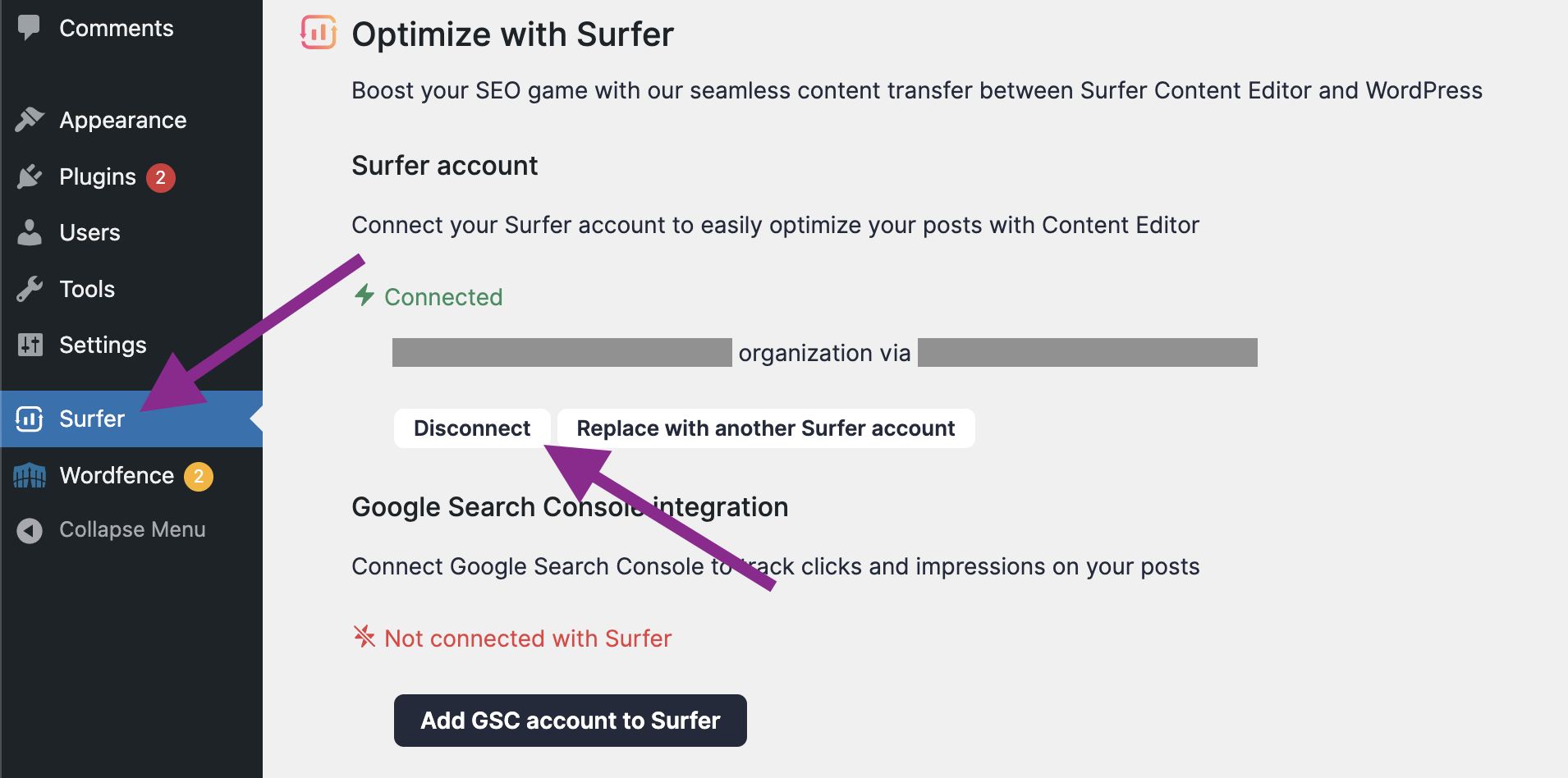
Go to your WordPress admin.
Select Surfer from the menu on the left.
Select Disconnect.
In Surfer
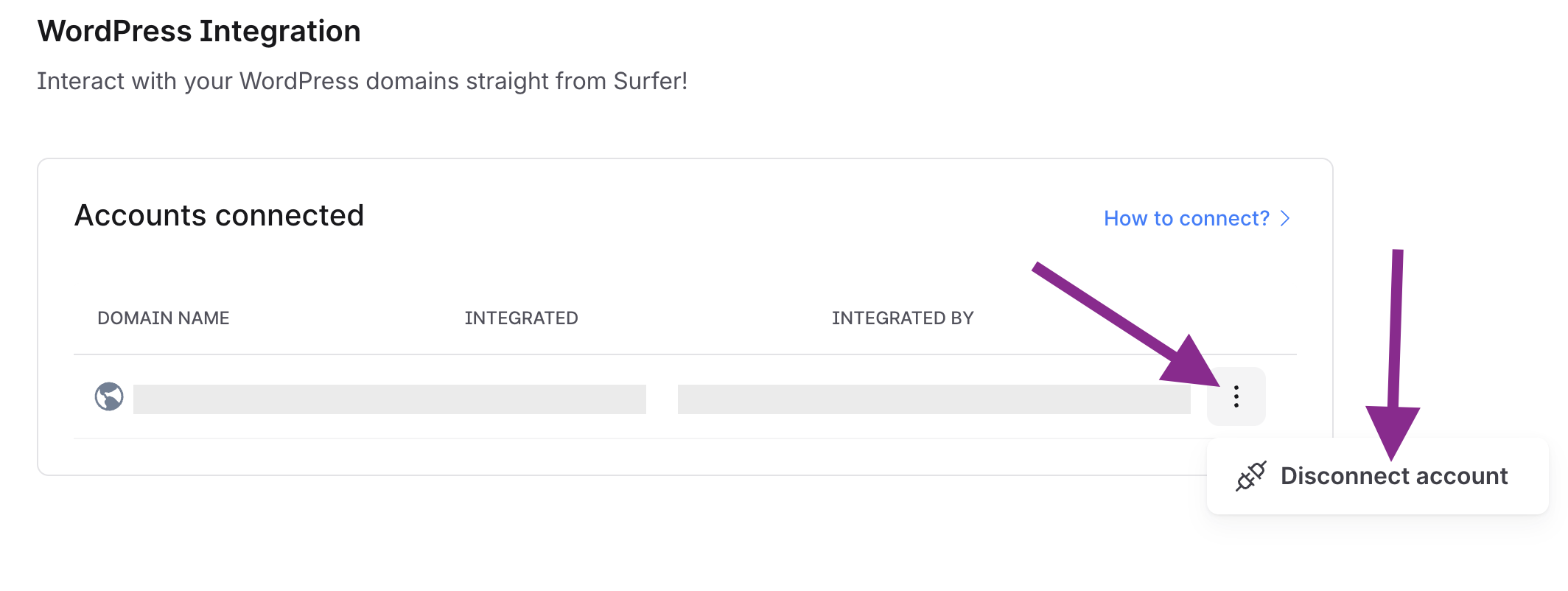
Go to the plugin page in Surfer.
Find the domain that you want to disconnect.
Click "Disconnect" next to the domain name.