Consultez les étapes ci-dessous selon qu'il s'agissait de votre premier achat ou d'un renouvellement.
1. Vérifiez les détails de votre carte
Le numéro de carte, la date d'expiration et le CVV sont corrects
La carte prend en charge les paiements en ligne et internationaux (Surfer facture en USD ou EUR)
Vous disposez de fonds suffisants ou de limites disponibles : si la TVA est incluse, assurez-vous d'avoir assez de fonds pour couvrir le montant TTC
2. Réessayez ou utilisez une autre carte
Réessayez le paiement depuis la page de paiement
Réessayez en utilisant une autre carte
💡Si cela échoue toujours, votre banque bloque peut-être le paiement. Demandez-leur d'autoriser les transactions internationales ou les prélèvements de SurferSEO.com. Si cela ne suffit pas, contactez [email protected] ou passez par le chat : nous vous aiderons à finaliser le paiement.

Voici ce que vous pouvez faire en attendant pour vous assurer que la prochaine tentative réussit :
1. Vérifiez vos informations de paiement
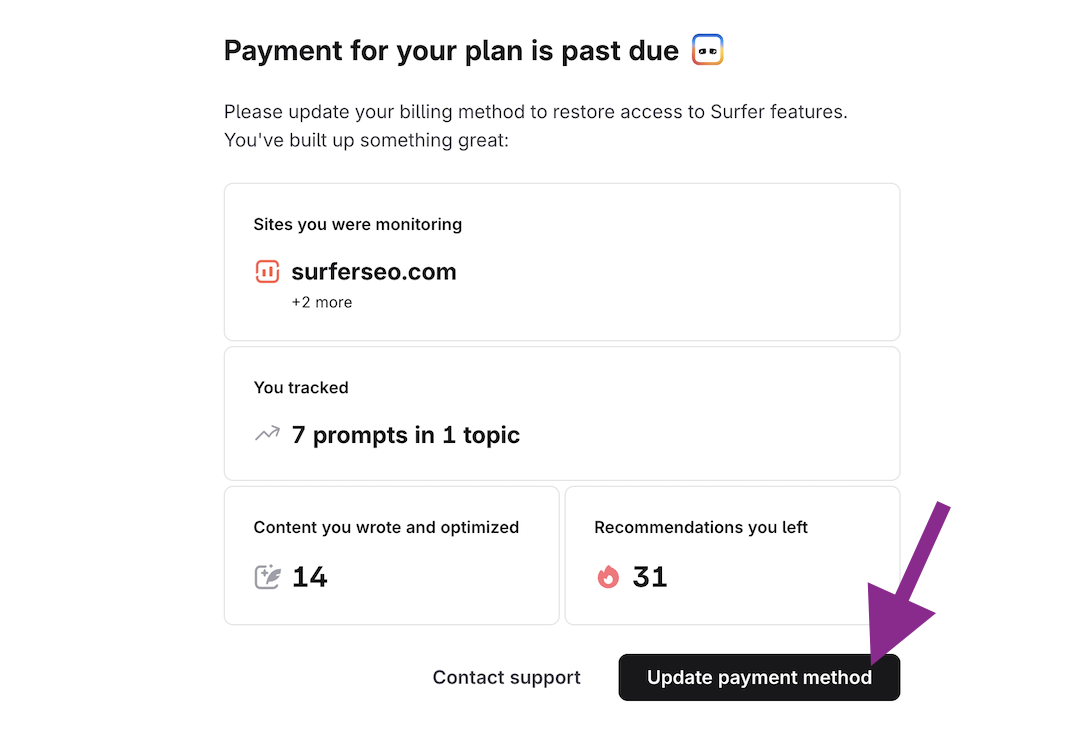
Connectez-vous à l'application pour voir l'option de mise à jour de vos informations de facturation. Assurez-vous que votre carte est à jour. Si ce n'est pas le cas, mettez à jour la carte et attendez la prochaine tentative de débit.

2. Assurez-vous que votre banque autorise la facturation
Demandez-leur d'approuver les paiements récurrents ou internationaux de SurferSEO.com.
3. Gardez des fonds disponibles
Si votre solde est faible ou votre limite atteinte, rechargez votre compte avant la prochaine tentative.
4. Une fois le paiement traité, votre abonnement redevient immédiatement actif. N'oubliez pas de réactiver vos projets AI Tracker si vous en avez !
Si vous avez l'impression d'avoir tout essayé mais que le paiement est toujours infructueux, n'hésitez pas à nous contacter à [email protected] ou via le chat en direct. Nous serons heureux de vous aider !