Custom Templates allow you to create layouts that can be reused across multiple pieces of content - saving you time and ensuring consistency in structure, formatting, and keyword placement.
Custom Templates can be used in the following tools:
Content Editor - either for articles you write from scratch or with AI-generated articles using Surfer AI
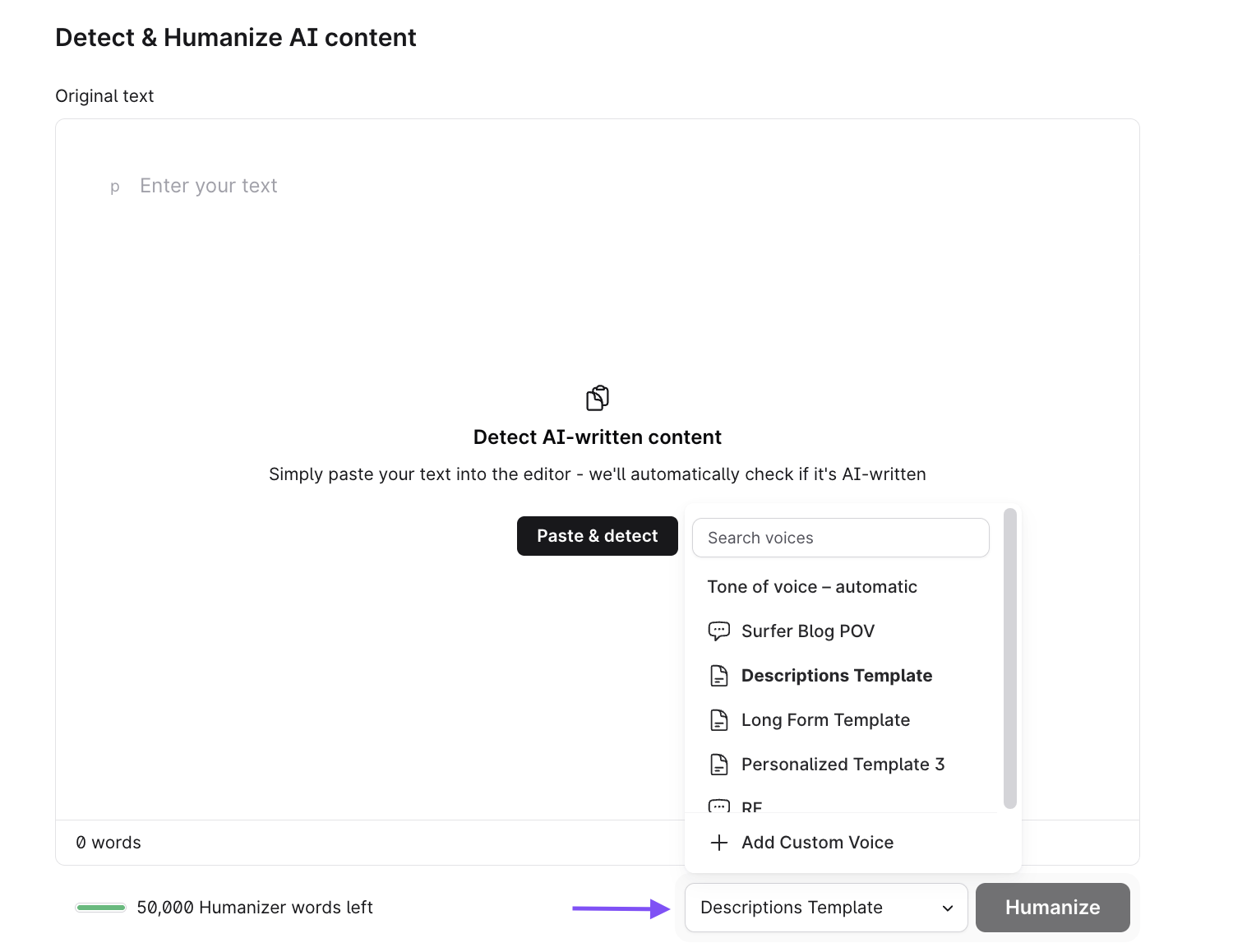
Humanizer - to adjust the style, personality, and tone of your humanized content.
For example, Custom Templates can be very helpful whether you have a specific template for your blog post, product and/or landing pages, your AI-written content, social media updates, or product descriptions.
You now select your template while setting up a new Content Editor, at the "Select content type" step of the setup wizard. It’s the same step whether you plan to write the article yourself or generate it with Surfer AI.
To choose a custom template:
1. Go to the Content Editor section and select + New Content.
2. Enter the keyword(s) you'd like to rank for, choose your location, language, and crawler type, then select Create - Deep analysis.
3. At the "Select content type" step, you'll see the Surfer templates (such as SERP Based, Blog Post, Landing Page, Comparison, Listicle, Product Page, Category Page, Service Page, and LLM Optimized) together with any custom templates you've created.
4. Select the custom template that fits your document best. You can also turn your best-performing content into a reusable template here by selecting Create template.
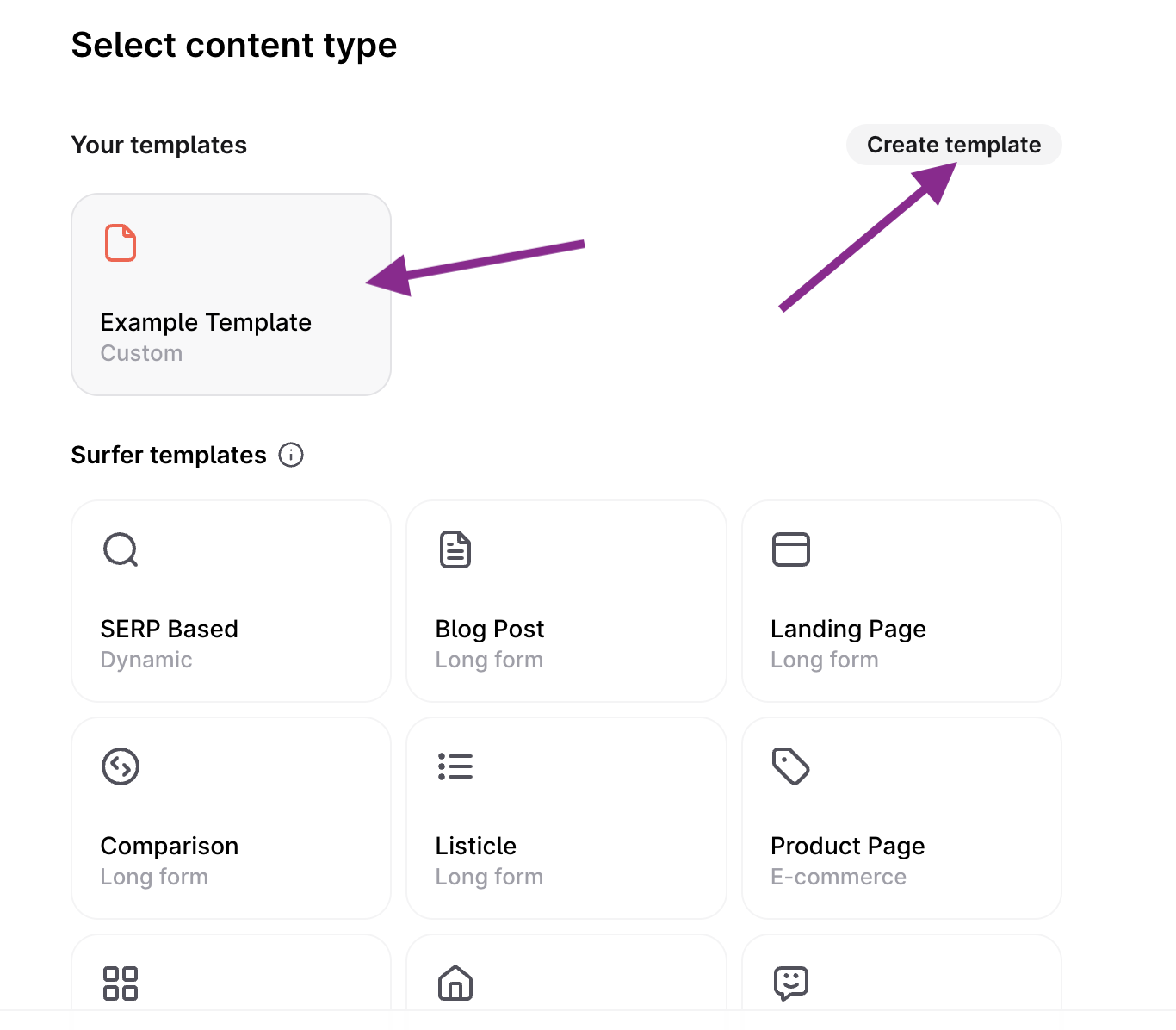
If you don’t have any custom templates created at this stage, the option to set up one will show up underneath the list:
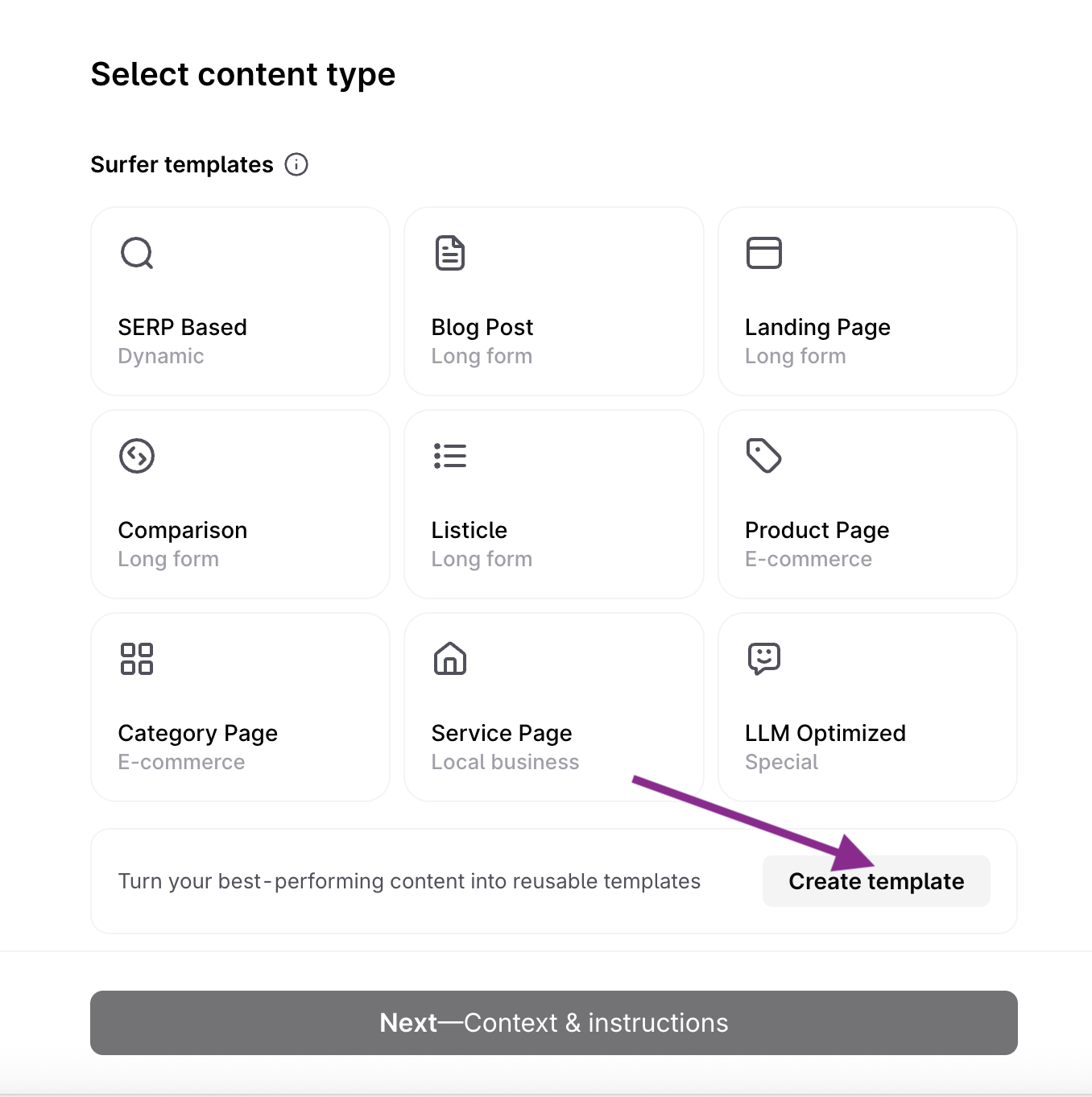
5. Select Next - Context & instructions to continue through the rest of the setup.
The template you choose shapes the structure of your article in the final Writing mode step - whether you Write it yourself (the editor opens with ready-to-follow Guidelines) or Generate content with Surfer AI (Surfer builds the outline and content following your template).

In the Humanizer, open the tool and then paste the content in the text field. Below the field, you will find the Tone of Voice option. By default, the tool uses an automatic tone of voice. You will also find your custom templates in this list. Select the one you'd like to use prior to humanizing your AI content. The tool will then analyze your selected template and apply the structure to the final output.

Creating strong templates ensures your content remains consistent, scalable, and easy to produce. Here are a few best practices:
Start with your most frequently used structure. Build templates for blog posts, product descriptions, emails, or landing pages. Any type of content that you publish frequently will do the job.
Keep headings consistent across similar content types. Defining headings, subheadings, and sections for each part of your content is crucial. This helps users follow a predictable flow and improves your editorial workflow.
Use placeholders where decisions need to be made.
For example:
{Keyword Placeholder}, {CTA Here}, {Insert Internal Link}, {Benefit 1}.
Avoid over-complexity. Templates should guide structure, but should not limit your creativity. Be flexible when approaching and formatting different topics.
Include content purpose reminders.
For example: “This section is designed to build trust” or “Use this area to explain benefits clearly.”
Match templates to funnel stages. Templates for awareness, comparison, and conversion content should differ in structure and tone.
Can I modify a built‑in template?
Yes, built‑in templates can be modified to fit your needs.
Does using a template affect SEO rankings?
Not directly, but as long as the template follows SEO best practices, it should help improve your ranking.
Can I reuse templates across different pieces of content?
Yes, templates can be reused across multiple pieces of content in Humanizer.
Will using templates change my SEO rankings?
Using templates doesn’t affect SEO, but be mindful of maintaining keyword focus and readability.
