Single Sign-On (SSO) makes it easier and more secure for large teams to access Surfer without dealing with multiple logins or manual user management.
With SSO enabled, teammates can log in using your company’s identity provider and are automatically added to your Surfer organization.
For growing teams, managing access manually can quickly become a bottleneck.
SSO helps you:
Reduce login friction for teammates
Keep access centralized and controlled
Eliminate manual seat management when someone joins
Ensure faster onboarding for new hires
In short, your team can focus on getting work done instead of wrestling with logins.

To get started:
Apply for an Enterprise subscription (if you don’t already have one).
Contact our representatives and request SSO to be enabled for your account.
Once activated, share the login instructions with your team.
Our team will guide you through the setup and confirm when SSO is ready to use.
After SSO is enabled:
Go to the Surfer login page.
Select Continue with SSO.
Log in using your company credentials.
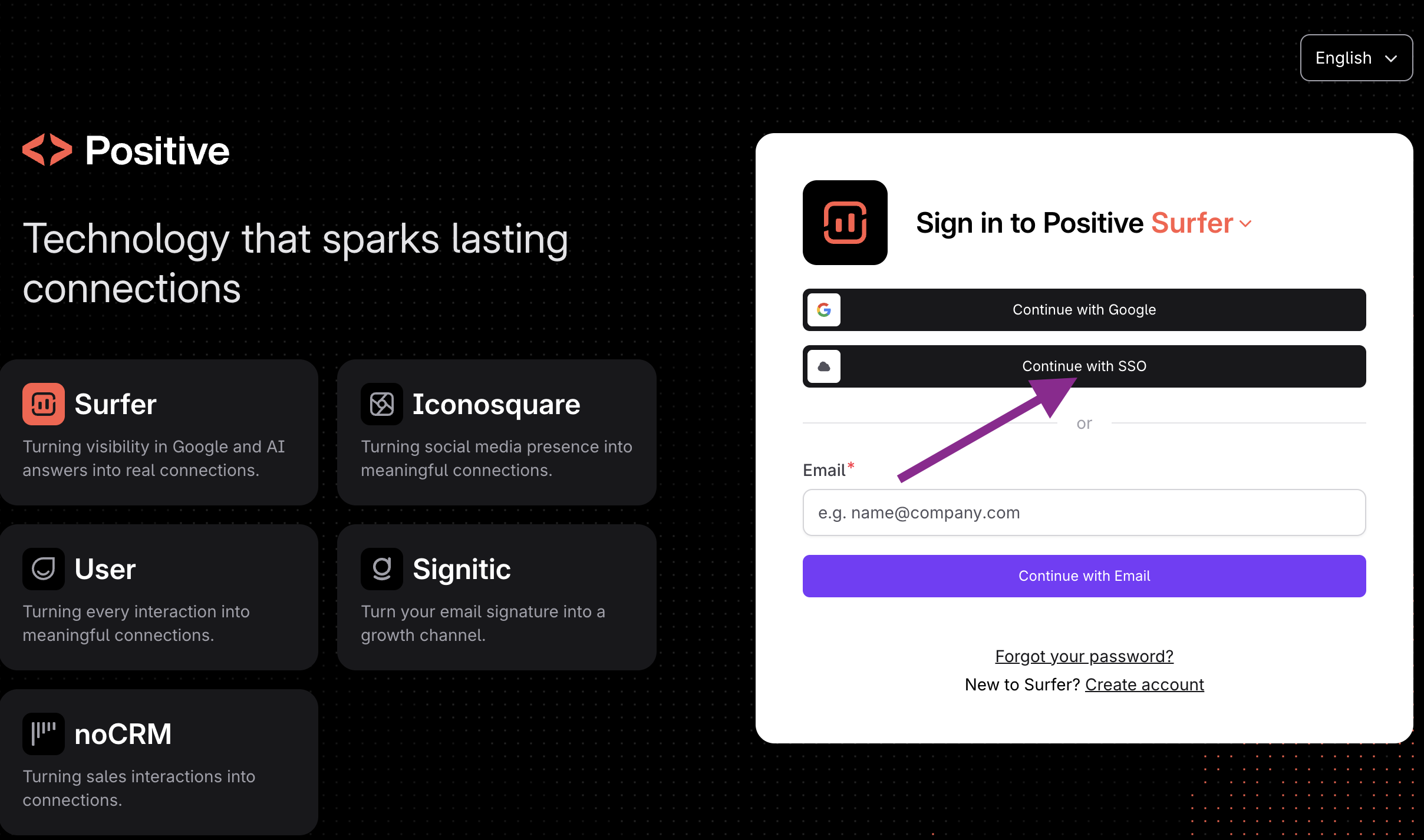
That’s it — teammates are automatically added to your organization on their first login.
If you’re interested in enabling SSO or have questions about Enterprise features, reach out to our sales team. We’ll gladly help with setting things up!